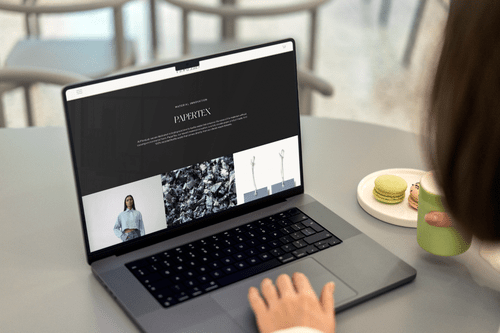
One of the biggest advantages of building on Squarespace is that you don't need a developer to make changes after launch. But there's a critical nuance that many business owners miss: the difference between being able to manage your website and it being designed for management.
The Autonomy Paradox
Squarespace markets itself as a DIY platform, and it is. Anyone can create a website. But "anyone can" doesn't mean "anyone should" — at least not without professional guidance. The result of fully DIY websites is often a site that technically works but doesn't strategically perform.
The sweet spot is professional design with DIY management. A professional sets up the framework, the strategy, and the visual system. Then you manage the content within that system.
What "Expert Design" Actually Means on Squarespace
Strategic Architecture
An expert doesn't just make your site look good. They structure it to guide visitors through a journey — from first impression to conversion. This includes intentional page hierarchy, user flow mapping, and conversion-optimized layouts.
Custom Code Enhancements
Squarespace templates provide a solid foundation, but custom CSS and JavaScript unlock possibilities that templates can't achieve alone. Expert designers add subtle animations, custom navigation behaviours, and visual enhancements that elevate the user experience.
Brand System Integration
Rather than choosing random fonts and colours, a professional creates a cohesive design system — consistent typography scales, colour palettes, spacing rhythms, and component patterns that make your brand feel polished and intentional.
80% of your website's impact comes from strategic decisions made during the design phase. The remaining 20% is ongoing content management. Invest professionally where it counts most.
How to Maintain Autonomy After Professional Design
- Content training — your designer should teach you exactly how to update text, images, and blog posts
- Documentation — receive a style guide documenting fonts, colours, and design rules
- Template pages — pre-built page templates you can duplicate for new content
- CMS mastery — understand how to use Squarespace's content management features
When to DIY and When to Hire
DIY is appropriate for:
- Blog posts and content updates
- Adding new products to your catalogue
- Updating business hours, contact info, or team bios
- Email campaigns and newsletters
Hire a professional for:
- Initial website design and strategy
- Major redesigns or rebrands
- Custom functionality that requires code
- E-commerce setup and optimization
- SEO strategy and technical implementation
The best investment you can make in your website is paying a professional to build its foundation, then learning how to run it yourself.
Ready to get the best of both worlds — professional design with full autonomy? Start a conversation with us.